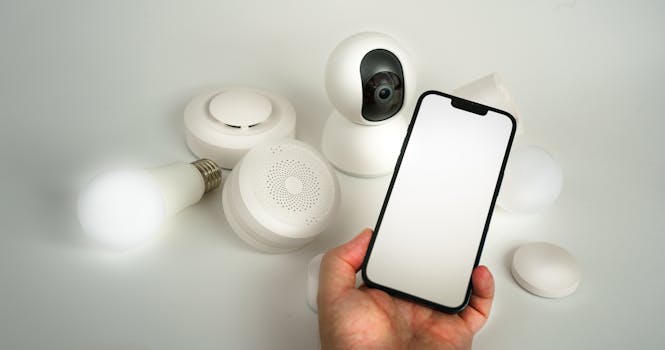
As AI-powered sensors become a staple in modern homes—monitoring everything from energy consumption and air quality to security and daily routines—so do concerns about how to keep these intelligent devices secure. While the convenience, efficiency, and insights offered by AI-enabled sensors are undeniable, these same devices can introduce vulnerabilities if not properly protected. As homes become “smarter,” so must the strategies families use to ensure their privacy, safety, and digital well-being.
This article explores the best practices for securing AI-enabled sensors in residential settings. We’ll break down the risks, examine the unique challenges, and offer actionable steps to make sure your home’s AI sensors are an asset—not a liability—in the age of connected living.
Understanding the Security Risks of AI-Enabled Sensors in Homes
AI-enabled sensors in homes range from security cameras and motion detectors to smart thermostats, voice assistants, and environmental monitors. According to Statista, the global smart home market is projected to reach $231 billion by 2028, with over 400 million households utilizing some form of smart technology by 2025. This rapid adoption, however, comes with an array of security concerns.
Critical risks include:
- Unauthorized access: Hackers may exploit weak passwords or outdated software to gain control of sensors or the data they collect. - Data leakage: Sensitive personal data, such as daily routines, audio recordings, or images, can be intercepted or misused. - Botnet attacks: Compromised sensors can be conscripted into large-scale cyberattacks, as seen in the 2016 Mirai botnet incident, which took down major websites using hijacked IoT devices. - Privacy breaches: AI sensors that process voice, video, or behavioral data can inadvertently record private moments or conversations.A 2023 survey by Consumer Reports found that 57% of smart home device owners were concerned about privacy, while 43% expressed worries about device hacking. Clearly, understanding these risks is the first step in taking control of your home’s digital security.
Securing Device Access: Authentication and Authorization Best Practices
The first line of defense for any AI-enabled sensor is strong access control. Weak or default passwords remain the most common entry point for cybercriminals—responsible for over 30% of IoT breaches, according to IBM’s 2023 X-Force Threat Intelligence Index.
Key practices include:
1. $1: Each device should have a unique, complex password. Avoid using manufacturer defaults, such as “admin” or “1234.” Passwords should be at least 12 characters, including uppercase, lowercase, numbers, and symbols. 2. $1: If the sensor’s platform supports it, enable MFA. This adds an extra layer—such as a text message code or authenticator app—making unauthorized access far more difficult. 3. $1: Limit control of sensors to only those who need it. For example, children may be given limited access to certain functions, while guests may be restricted from sensitive devices entirely. 4. $1: Periodically review who has access to your devices, removing old or unused accounts.The table below compares common authentication methods for AI-enabled home sensors:
| Authentication Method | Security Level | Ease of Use | Recommended For |
|---|---|---|---|
| Default Passwords | Very Low | Very Easy | Never |
| Custom Strong Passwords | High | Moderate | All Devices |
| Multi-Factor Authentication | Very High | Moderate | Cameras, Locks, Sensitive Devices |
| Biometric (Voice/Face) | High | Easy | Voice Assistants, Door Locks |
Firmware and Software Updates: Staying Ahead of Vulnerabilities
AI-enabled sensors, like all connected devices, depend on underlying software—firmware and apps—to operate. Cybersecurity firm Palo Alto Networks reported that nearly 50% of IoT devices in use run outdated software, a primary vector for attacks.
Why are updates so important?
- $1: Manufacturers regularly identify and fix vulnerabilities that could allow hackers to bypass security. - $1: Updates may enhance the AI’s accuracy, reducing false positives (like mistaking a pet for an intruder) and improving privacy protections. - $1: Updated software can add new privacy settings, encryption options, or user controls.Best practices include:
- $1: Where possible, allow your devices to update themselves without manual intervention. - $1: Some devices require manual updates via a companion app or web portal. Set a calendar reminder to check monthly. - $1: If a manufacturer no longer provides updates, consider replacing the device. Outdated sensors become increasingly risky over time.Network Segmentation: Isolating AI-Enabled Sensors from Core Devices
One of the most effective ways to protect your home network is through segmentation—separating smart devices from computers, phones, and other sensitive devices. According to a 2022 Norton Cyber Safety Insights Report, only 21% of consumers use guest networks or segmentation, despite its proven effectiveness.
How does network segmentation work?
- $1: Many modern routers allow you to set up a secondary Wi-Fi network specifically for smart home devices. - $1: Alternatively, use the guest network feature to keep sensors apart from your main devices. - $1: Advanced users can configure VLANs for even tighter control, though this requires some technical know-how.Benefits include:
- $1: If a sensor is compromised, the attacker’s access is restricted to that network, protecting your main devices. - $1: Malware can’t easily spread between networks. - $1: Anomalous activity is easier to spot when sensors are grouped together.Practical steps:
- Log into your router’s admin portal and look for “Guest Network” or “IoT Network” options. - Connect all AI-enabled sensors to this network. - Use strong, unique Wi-Fi passwords for each network.Data Privacy and Encryption: Protecting the Information Flow
AI-enabled sensors in the home generate large volumes of sensitive data—audio, video, occupancy patterns, health metrics, and more. In a 2023 survey by the Pew Research Center, 60% of Americans expressed discomfort with how smart home devices collect and use personal data.
Key best practices:
- $1: Ensure that all data transmitted between sensors and cloud services is encrypted. Look for devices that advertise AES-256 encryption or similar. - $1: Favor devices that offer on-device AI processing, minimizing the amount of personal data sent to the cloud. - $1: Configure devices to store data only as long as necessary. Regularly delete old recordings or logs. - $1: Review manufacturers’ privacy statements. Choose brands with clear, consumer-friendly data handling practices.For example, Apple’s HomeKit and Google Nest both offer end-to-end encryption for certain device categories, while many budget brands still lack robust data protections. Always check before purchasing.
Physical Security: Don’t Overlook the Basics
While much attention is paid to digital threats, physical tampering remains a real risk—especially for sensors placed outdoors or in accessible locations.
Simple but effective steps include:
- $1: Install cameras and sensors high out of reach, using tamper-proof screws or mounts. - $1: Use protective cases for outdoor sensors to prevent damage or direct access to reset buttons. - $1: If a device has USB or Ethernet ports that aren’t needed, cover or disable them to prevent physical hacking attempts. - $1: Many advanced sensors can detect and alert you if they are being moved or blocked.Remember, a sensor that’s easy to unplug or reset is a sensor that can be bypassed—even by a determined intruder.
Building a Secure AI Sensor Ecosystem: Choosing the Right Devices
Not all AI-enabled sensors are created equal—security features can vary widely between brands and models. When choosing devices for your home, consider:
- $1: Opt for manufacturers with a proven track record of timely security updates and transparent privacy practices. - $1: Look for certifications such as UL 2900 or ioXt, which indicate that a device has passed rigorous security testing. - $1: Devices that work within unified smart home ecosystems (such as Matter, Apple HomeKit, or Google Home) often benefit from higher security standards and centralized management. - $1: Check online forums and product reviews for reports of vulnerabilities, privacy concerns, or discontinued support.Investing in secure, reputable devices pays off in reduced risk and greater peace of mind.
Final Strategies for Securing AI-Enabled Sensors in Homes
Securing AI-enabled sensors in homes is not a one-time task, but an ongoing process. As technology evolves, so do the tactics of cybercriminals. By combining strong authentication, regular updates, network segmentation, robust data encryption, and careful device selection, you can dramatically reduce your risk.
The numbers speak for themselves: in 2022, the FBI’s Internet Crime Complaint Center received over 800 complaints related to smart home device breaches—a number expected to rise as adoption grows. Yet, the vast majority of incidents are preventable with diligent habits and informed choices.
Remember, every home is unique. Regularly reassess your setup, stay informed about new threats, and empower everyone in your household to practice safe device habits. A secure smart home is a smart investment.